Back to Insights
UiPath

UiPath: A Complete Guide for Beginners

RPAverse Team
1/10/2025
12 min read
UiPath: A Complete Guide for Beginners

UiPath has established itself as the leading platform for Robotic Process Automation (RPA), trusted by thousands of organizations worldwide. Whether you're new to automation or considering UiPath for your business, this comprehensive guide will help you understand what makes UiPath special.

What is UiPath?

UiPath is an enterprise-grade RPA platform that enables organizations to automate repetitive business processes through software robots. Founded in 2005, UiPath has grown to become the market leader in RPA, offering a comprehensive suite of tools for building, deploying, and managing automation at scale.

Core Components of UiPath

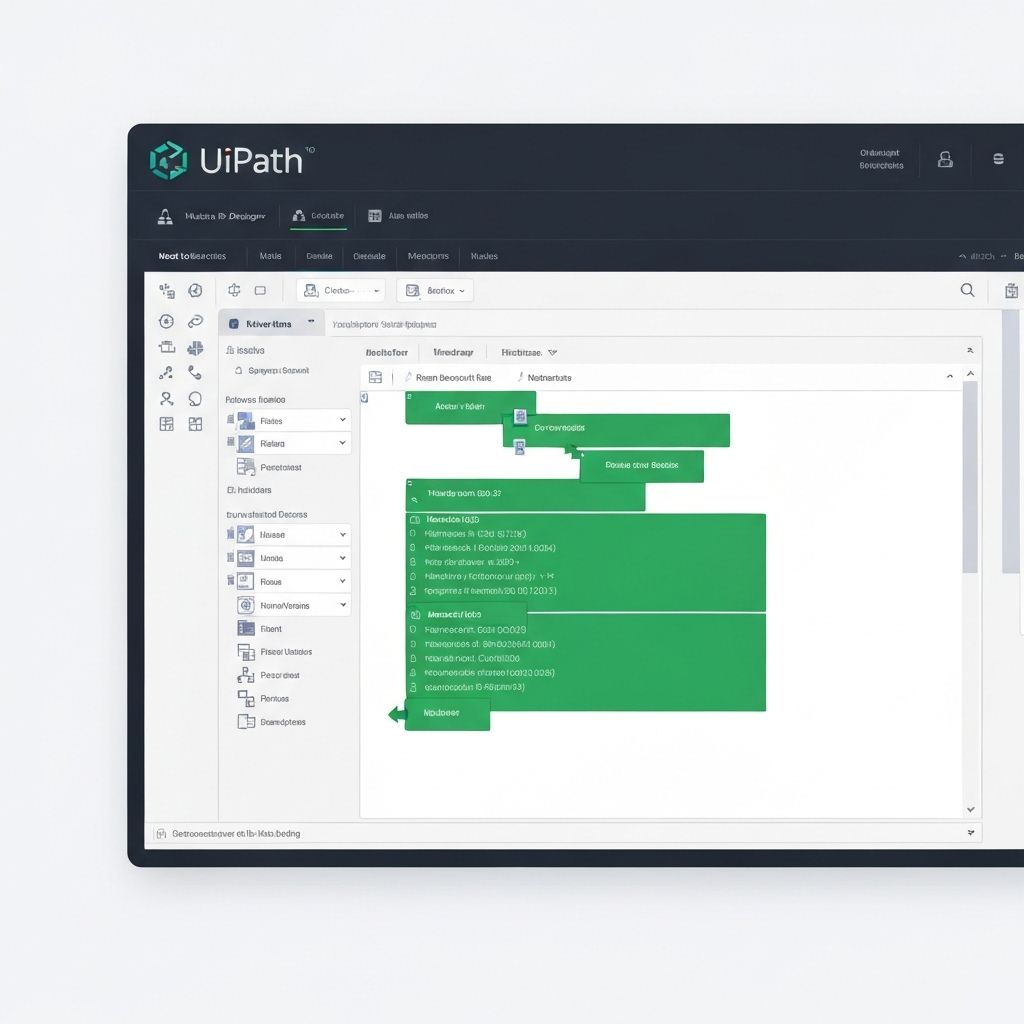
UiPath Studio

The development environment where automation workflows are created. Studio offers:

  • Drag-and-drop interface for building automations
  • Pre-built activities for common tasks
  • Debugging and testing tools
  • Support for multiple programming languages
  • UiPath Orchestrator

    The centralized management platform that:

  • Deploys and schedules robots
  • Monitors automation performance
  • Manages queues and assets
  • Provides analytics and reporting
  • UiPath Robots

    The execution agents that run automations:

  • **Attended Robots**: Work alongside humans, triggered manually
  • **Unattended Robots**: Run independently on schedules or triggers
  • **Hybrid Robots**: Combine attended and unattended capabilities
  • Key Features That Set UiPath Apart

    1. User-Friendly Interface

    UiPath Studio's visual designer makes automation accessible to both technical and non-technical users. The drag-and-drop interface, combined with pre-built activities, accelerates development.

    2. AI and Machine Learning Integration

    UiPath incorporates AI capabilities for:

  • Document understanding and data extraction
  • Computer vision for UI element recognition
  • Natural language processing for text analysis
  • Predictive analytics for process optimization
  • 3. Extensive Integration Capabilities

    UiPath connects seamlessly with:

  • Enterprise applications (SAP, Salesforce, Oracle)
  • Microsoft Office suite
  • Web applications and APIs
  • Legacy systems and mainframes
  • Databases and cloud platforms
  • 4. Scalability and Enterprise Features

  • Deploy thousands of robots across global infrastructure
  • Role-based access control and security
  • High availability and disaster recovery
  • Comprehensive audit trails and compliance features
  • 5. Community and Support

  • Active community forum with 1M+ members
  • Extensive documentation and tutorials
  • UiPath Academy for free training and certification
  • Marketplace with pre-built automation components
  • UiPath Automation Types

    UI Automation

    Interacts with application interfaces just like a human would:

  • Click buttons and links
  • Enter data into forms
  • Extract information from screens
  • Navigate between applications
  • API Automation

    Integrates directly with application programming interfaces:

  • Faster and more reliable than UI automation
  • Ideal for modern cloud applications
  • Enables real-time data exchange
  • Attended Automation

    Works alongside human employees:

  • Triggered by user actions
  • Assists with complex tasks
  • Provides real-time guidance
  • Enhances employee productivity
  • Unattended Automation

    Runs independently without human intervention:

  • Scheduled or triggered by events
  • Processes high-volume transactions
  • Operates 24/7
  • Ideal for back-office processes
  • Common UiPath Use Cases

    Finance & Accounting

  • Invoice processing and approval workflows
  • Financial close and reconciliation
  • Expense report processing
  • Accounts payable/receivable automation
  • Human Resources

  • Employee onboarding and offboarding
  • Payroll processing
  • Benefits administration
  • Resume screening and candidate tracking
  • Customer Service

  • Order processing and fulfillment
  • Customer data updates
  • Complaint handling and routing
  • Service ticket management
  • IT Operations

  • User provisioning and access management
  • System monitoring and alerting
  • Backup and recovery processes
  • Software deployment and updates
  • Getting Started with UiPath

    Step 1: Learn the Basics

  • Complete UiPath Academy's free courses
  • Understand RPA concepts and best practices
  • Familiarize yourself with Studio interface
  • Step 2: Identify Automation Opportunities

  • Look for repetitive, rule-based processes
  • Assess process volume and complexity
  • Calculate potential ROI
  • Step 3: Build Your First Automation

  • Start with a simple, low-risk process
  • Use UiPath's templates and examples
  • Test thoroughly before deployment
  • Step 4: Deploy and Monitor

  • Use Orchestrator to deploy your robot
  • Monitor performance and exceptions
  • Gather feedback and iterate
  • Step 5: Scale Your Automation Program

  • Expand to additional processes
  • Establish governance and best practices
  • Build a Center of Excellence
  • UiPath Licensing Options

    UiPath offers flexible licensing to suit different needs:

  • **Community Edition**: Free for small teams and learning
  • **Pro**: For individual developers and small teams
  • **Enterprise**: Full-featured platform for large organizations
  • **Automation Cloud**: Cloud-based deployment option
  • Best Practices for UiPath Development

    1. **Follow the REFramework**: Use UiPath's Robotic Enterprise Framework for robust, maintainable automations

    2. **Implement Error Handling**: Plan for exceptions and build resilient workflows

    3. **Use Orchestrator Assets**: Store credentials and configuration securely

    4. **Modularize Your Code**: Create reusable components and libraries

    5. **Document Your Processes**: Maintain clear documentation for maintenance

    6. **Test Thoroughly**: Validate automations across different scenarios

    7. **Monitor Performance**: Track metrics and optimize continuously

    The Future of UiPath

    UiPath continues to innovate with:

  • Enhanced AI and machine learning capabilities
  • Process mining and discovery tools
  • Low-code/no-code development options
  • Expanded cloud and SaaS offerings
  • Integration with emerging technologies
  • Conclusion

    UiPath has democratized automation, making it accessible to organizations of all sizes. Its comprehensive platform, user-friendly interface, and robust capabilities make it the ideal choice for businesses embarking on their automation journey.

    Whether you're looking to automate a single process or transform your entire organization, UiPath provides the tools, support, and community to help you succeed.

    Ready to start your UiPath journey? Contact RPAverse for expert guidance and implementation support.

    Ready to Transform Your Business?

    Let's discuss how automation can help you achieve your business goals.